


The sites don’t load.
Not in Safari, and not in any other app on the phone. The list behind it is large and it keeps being updated, so a site that went up last week is already on it.
Bramble is a free blocker, and it runs on the phone itself. Four layers sit between you and it — not one, and not only in the browser. Here is exactly what each one does, and the one thing none of them can do.
Not in Safari, and not in any other app on the phone. The list behind it is large and it keeps being updated, so a site that went up last week is already on it.
An address that slips past the first check is stopped at the page. Private browsing is not a way out of it, and neither is pointing the phone at a different resolver.
Including the ones with a browser quietly tucked inside — the ones that are not really browsers until one in the morning, when they are. You name them. The shield holds them.
A picture that would pull you is softened before it reaches you. That matters most in a feed you did not go looking in, which is where a lot of men say it actually starts.
The technical names, if comparing is what you came to do: a DNS proxy, a URL content filter, an app shield, and an on-device image classifier. Nearly all of that work happens on the phone itself.
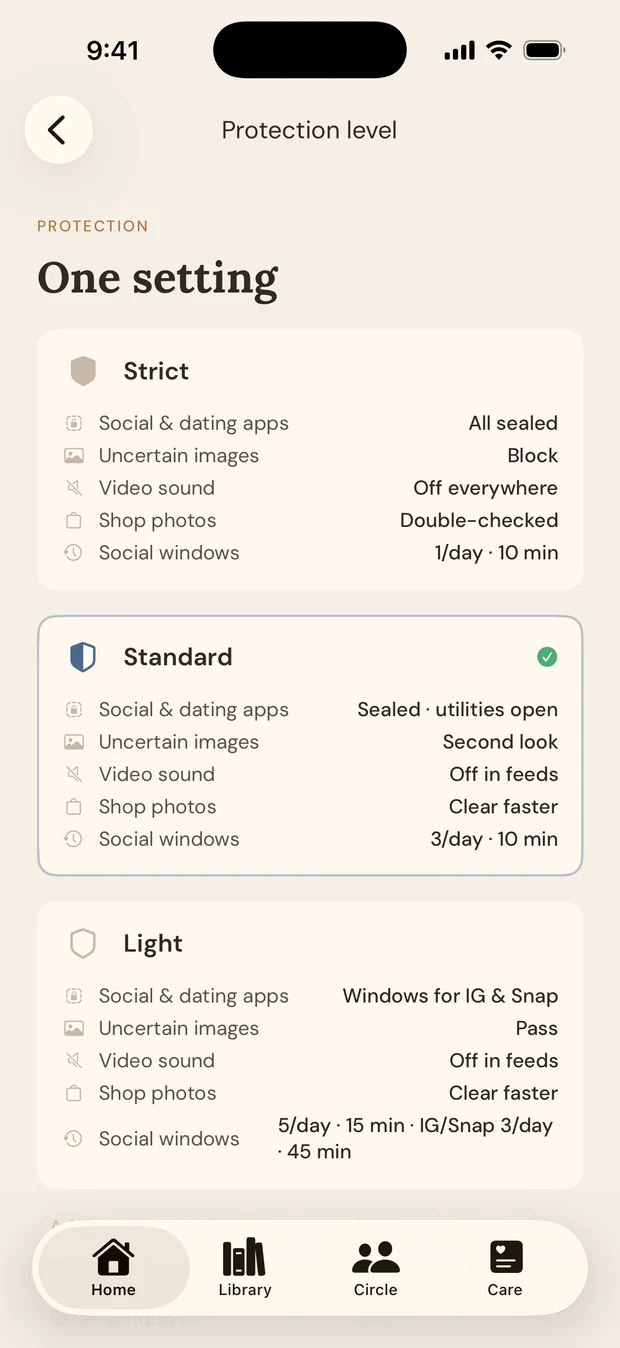
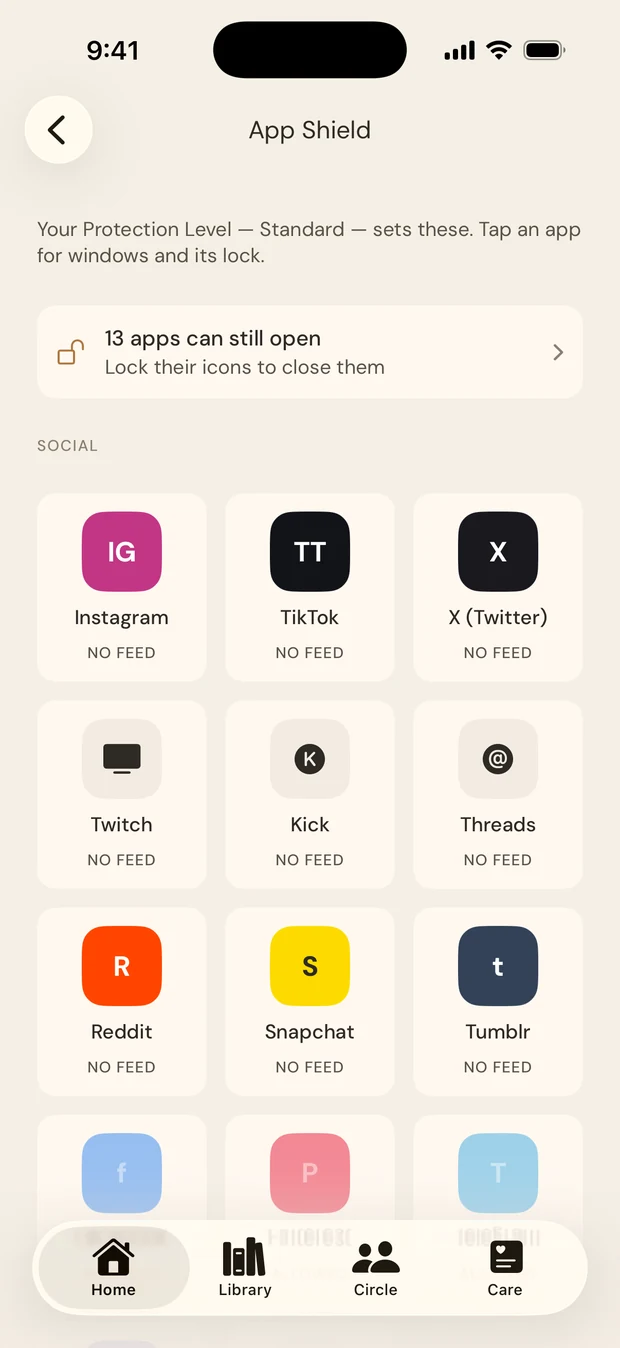
You set the level once — strict, standard or light. Making it tighter takes a tap. Making it looser is the part that waits.
You will. Not because you are weak — because that is what the hour does. Any honest account of a blocker has to start there, rather than pretend the man who installs it is the same man who reaches for it later.
So here is what actually happens. You can turn the protections off, always; nothing in Bramble is built to trap you. There is a short wait before it takes effect, and your Circle is told. That is the whole mechanism, and the wait is the point of it.
Could a determined man wear it down anyway? Yes, eventually — on a phone he owns, that is true of every product in this category, including ours, and we wrote the honest version down rather than sell you the word unbypassable.
What that wait actually buys you is a gap. Wanting arrives like a wave rather than a straight line, and it breaks if nothing feeds it — the skill has a name, urge surfing, and a delay is what makes it possible at all. A door that opens the moment you pull on it never gives you one.
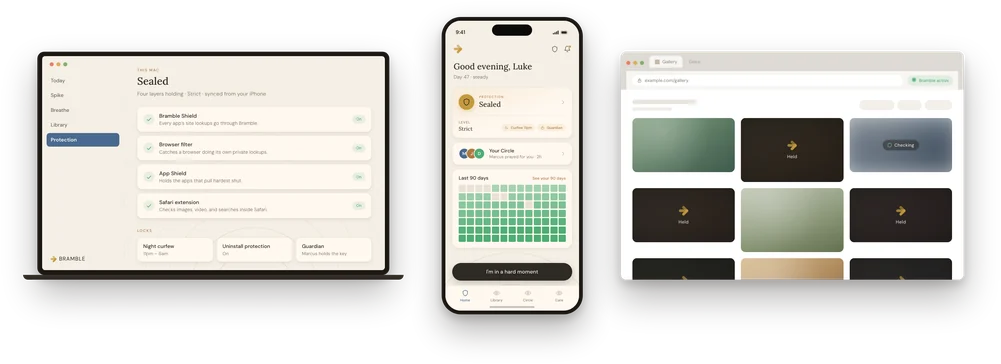
The iPhone app is where Bramble lives, and it is the one that carries all four layers. The Chrome extension holds the browser on a laptop — Chrome, Edge, Brave and ChromeOS. The Mac app holds the computer underneath it.
There is no Android version and no Windows version, and neither is announced. We would rather say that plainly than leave you reading a roadmap for a promise.
No one gets a list of what you looked at. Not your Circle, not us. Nearly all of the checking happens on the phone itself, which is what makes that a design fact rather than a promise we are asking you to trust.
Your Circle sees that the protections are on, and that something was held. Never what. The difference is the whole product: witnesses, not monitors. A man who thinks he is being watched hides better. A man who knows he is being walked with does not have to.
Protections change what is in front of you. They do not change what sent you looking. That is not a disclaimer — it is the reason Bramble is more than this page: the hour you reach for it is usually the hour something else went wrong, and a closed door leaves that part exactly where it was.
It also explains the thing most men find hardest to explain about themselves — why one hard night so often becomes a bad week. What turns a moment into a stretch is rarely the moment. It is what a man decides it proves about him, which researchers call the abstinence violation effect, and which is why nothing in Bramble counts your days back to zero.
If that lands, the ten questions are two minutes and name nothing about you, and the reading is free and needs no account.
Free, forever. On iPhone.

Your history never leaves your phone.
Tap Wrong? on the held page. That opens the site for you for twenty-four hours straight away and tells us to go and look at it — so a false positive costs you a tap, not a day spent waiting on a reply.
Three iOS permissions, one after another: a VPN configuration, a content filter, and Screen Time. If one gets declined the shield will not seal, and the app names the piece that is missing. The Safari extension is the one part no app is allowed to switch on for you — that one lives in iOS Settings.
The VPN configuration iOS asks for is simply how the system lets an app filter traffic on the device. It is not a tunnel to someone else’s machine. Nearly all of the checking happens on the phone itself, which is why nobody ends up with a list of where you went.
The questions men ask most — how Bramble compares to Covenant Eyes or Fortify, why it is free, what your Circle can see — are answered on the homepage.